Free to Join · 18+Beta Open · Free to Join · 18+

Be First Into the Galaxy

Here's your opportunity to play Star Thrown™, a mobile strategy game set in Space, before it launches. It's built by just one person: me.

Your sign-up could not be saved. Please try again.
You're on the list! When the beta opens, we'll email you the install links.

Install the game now.

Do these steps on the phone you’ll play on, and come back to this page after each one. No invite email or code is coming: these buttons are all you need.

iPhone

If TestFlight doesn’t open from this in-app browser, tap ••• at the top right and choose Open in external browser.

  1. Get TestFlight from the App StoreApple's own app for beta testing. Needs iOS 16 or later. Then come back here for step 2.
  2. Join the Star Thrown beta on TestFlightThis button is your invite. On Apple's page, tap View in TestFlight, then Accept, then Install.

Android

Google sign-in doesn’t work in this in-app browser

Do the Android steps in Chrome. This button opens your install steps there.

Open in Chrome

If it doesn’t open, open Chrome and go to starthrown.com/beta.

Use the Google account signed in to your Play Store app for all three steps.

  1. Join our Google GroupTap Join group, then come back here for step 2.
  2. Become a testerTap the button on the page that opens, then come back here for step 3.
  3. Install from Google PlayTap Install. If Google Play can’t find the game yet, wait a few minutes and tap this button again.

Then: open Star Thrown, create your account, and on the Round Signup screen tap Free Round. That puts you in the round.

What device do you have? *

Do you like strategy games?

Your data. Boundless Alchemy LLC uses your email, your answers and which of our posts or ads you came from, only to run the beta (install links, beta updates and an end-of-beta email) and to count which posts bring sign-ups. Brevo, Apple and Google help run it. By signing up you consent to this, and you can unsubscribe at any time. Full details and your rights: Privacy Policy.

Protected by reCAPTCHA — Privacy & Terms

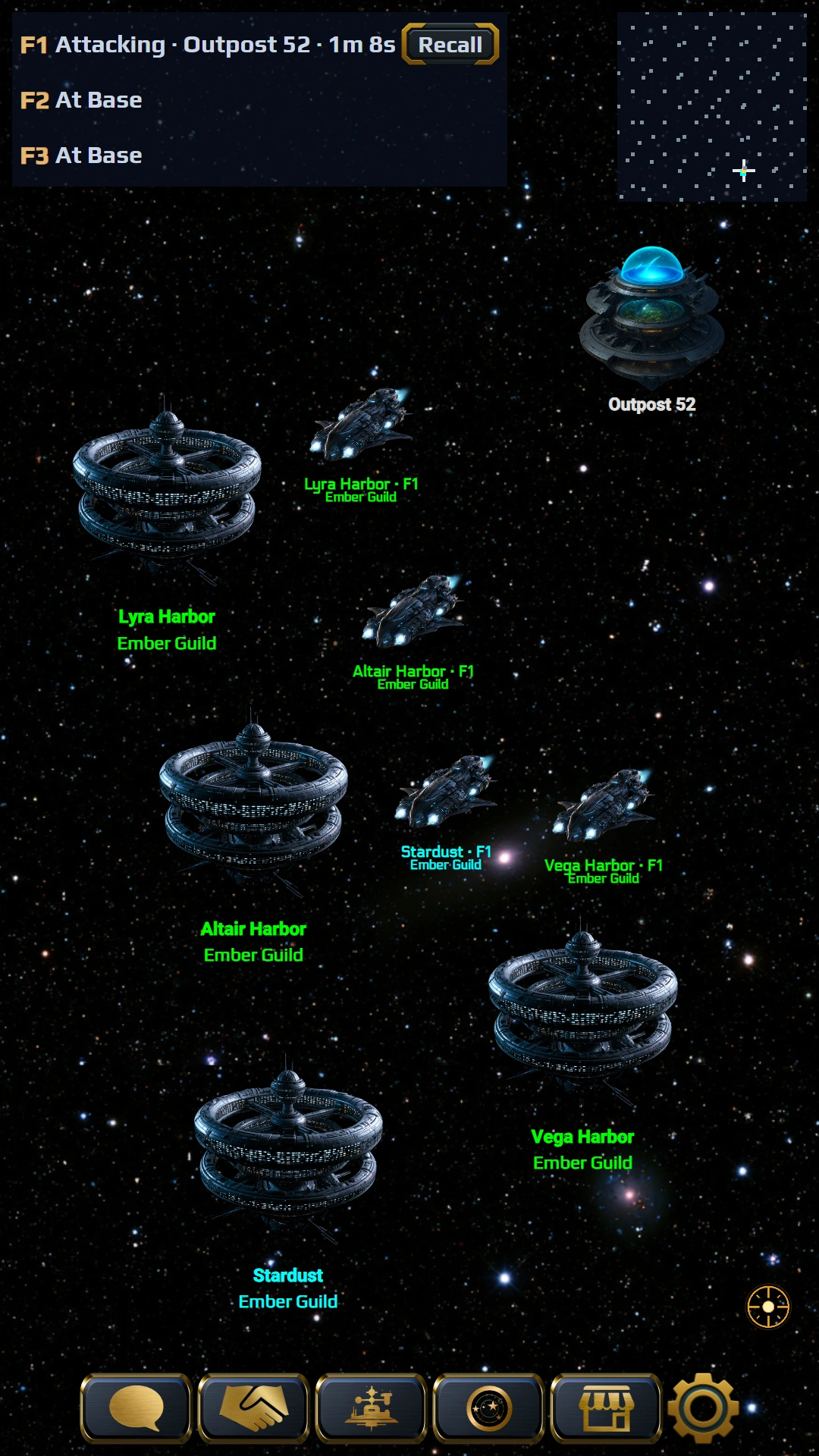
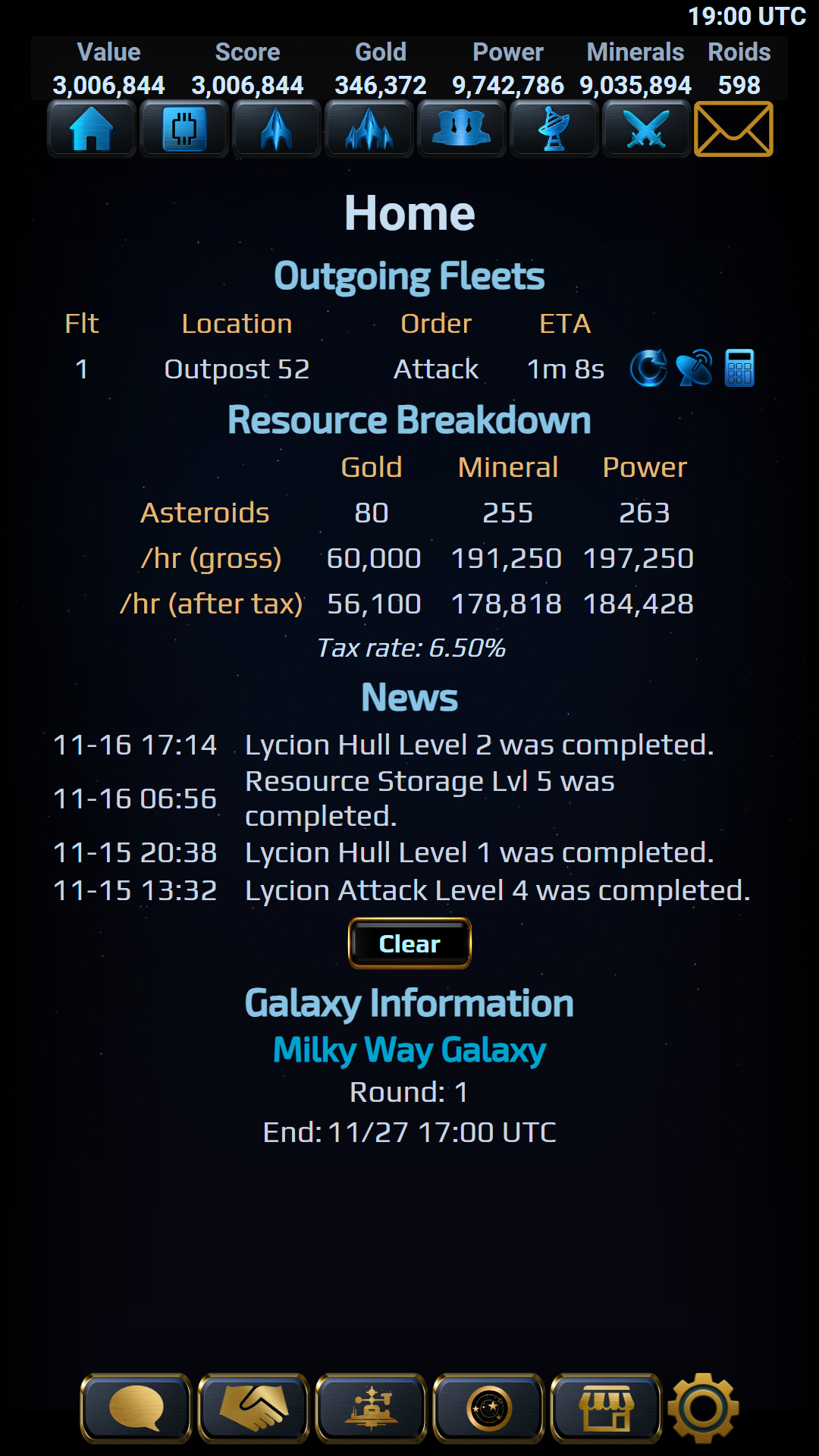
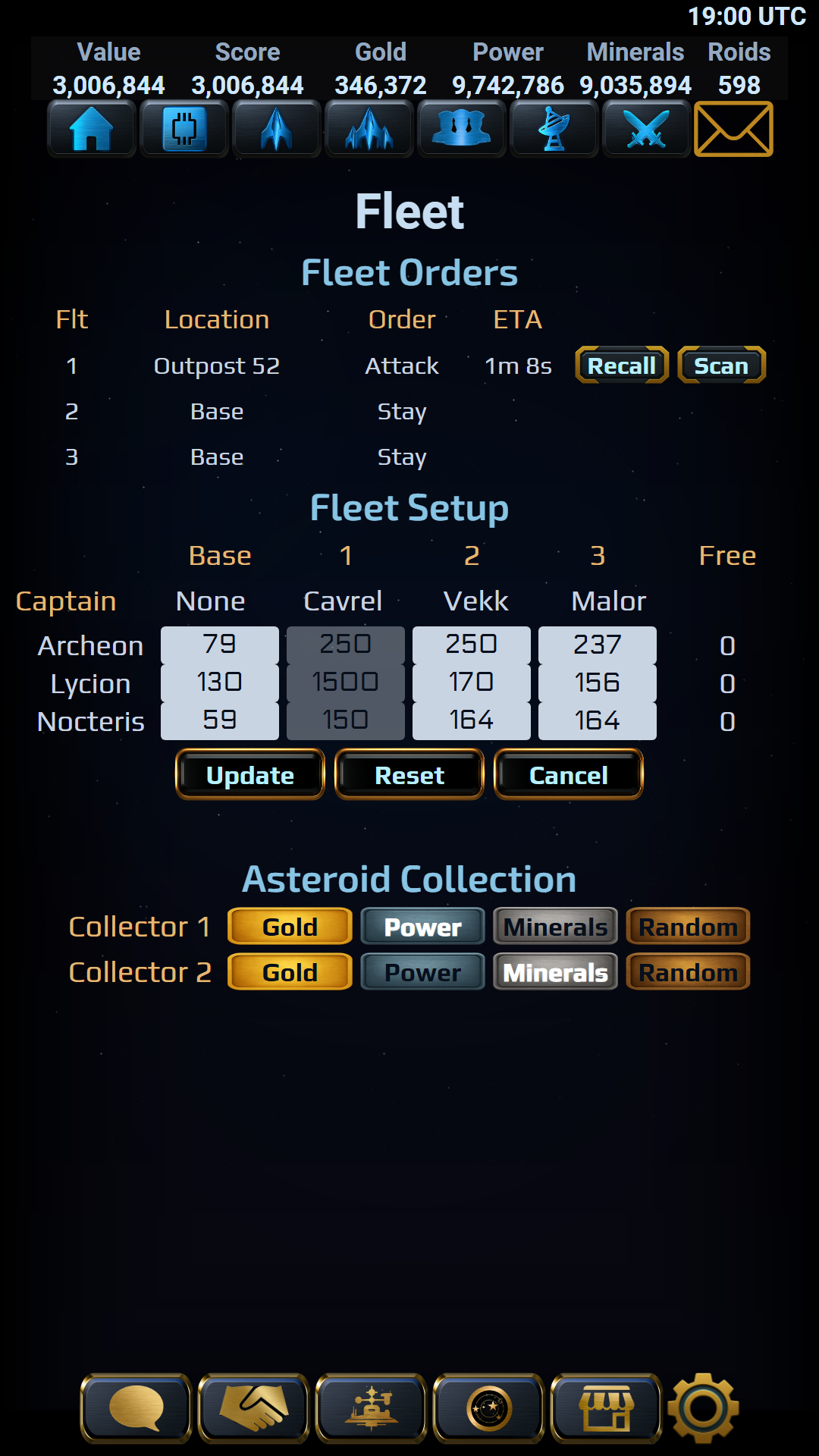
Star Thrown galaxy map: Stardust's fleet and three allied fleets closing on Outpost 52. Star Thrown Home screen: Fleet 1 is on its way to attack Outpost 52, with resources, news and the round's end date. Star Thrown Fleet screen: orders for three fleets, with Fleet 1 attacking Outpost 52, and each fleet's captain and ships.

Leave your fingerprint on the game: your honest first impressions mean the world to me. Join an Alliance in the Speed Round, free on iPhone and Android.

Read the Beta FAQ

How it works

  1. Sign up above. Signing up before the beta opens? We'll email you the install links when it opens. Once the beta is open, your install links appear as soon as you send the form.
  2. Install the game. iPhone: install Apple's TestFlight app (needs iOS 16 or later), tap our TestFlight invite, then View in TestFlight, Accept and Install. Android: use the Google account signed in to your Play Store app for all three steps: join our Google Group, open our opt-in link and tap to become a tester, then install from Google Play.
  3. Join the round. Open Star Thrown, create your account, and on the Round Signup screen tap Free Round.

Before you join

  • 18+ only.
  • School or work accounts your organization manages (Managed Apple Accounts) can't be used with TestFlight. Use your personal Apple Account.
  • Beta testers can't post public store reviews. Report bugs and feedback in the game or in our Discord.
  • If you can, please stay in the beta for at least 14 days. It really helps.
  • You'll see in-game purchases in the beta. They're test purchases, so you won't be charged.
  • Nothing from the beta carries over to launch, purchases included.
  • The game sends crash reports and usage analytics, and there's no in-game switch to turn them off.